Nightly report
Every night RDST writes up each monitored database's day, with its health, the day's numbers, what changed, and the queries worth a look.
At the configured report time, RDST writes a report on each monitored database's previous local day. Open it from the Report tab on the Database page. A dot on the tab means there's a new one, and the Inbox gets a Daily report ready item.
What's in it
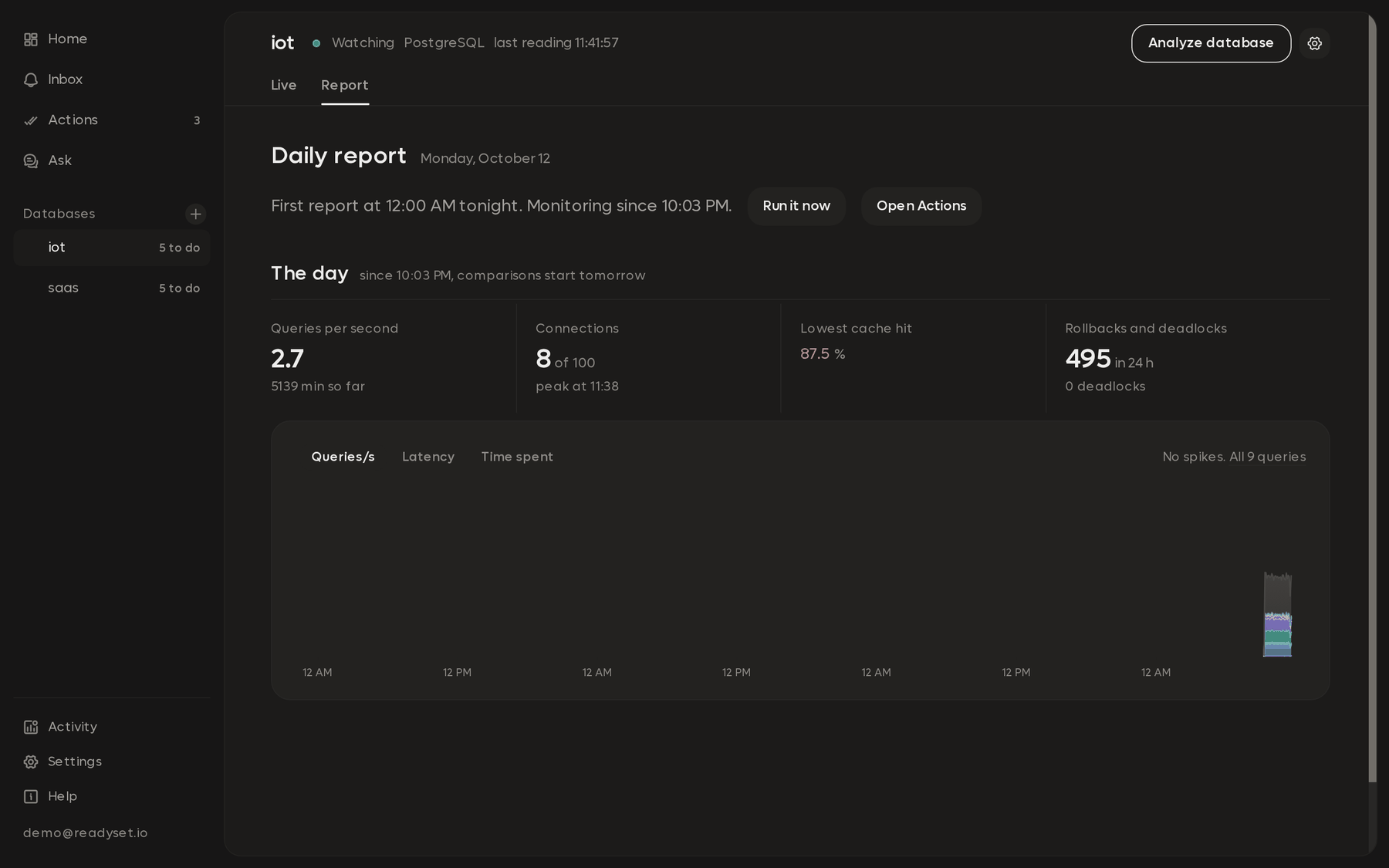
The report is titled with the day it covers, like "Tuesday, September 29". A section bar at the top jumps between its parts:
| Section | What it covers |
|---|---|
| Health | Database health: connections, cache hit ratio, rollbacks and other checks |
| Numbers | The day in numbers, compared with the day before when there's one |
| Brief | The day in brief: the top priorities, each with what it means for your app |
| Actions | Database actions in order, with SQL you can copy |
| Chart | The day's chart |
| Spikes | When load jumped, and which queries drove it |
| What happened | The day's alerts and events |
| Queries | Queries to look at, with their deep analysis |
| All queries | Every query, sortable by calls, latency, database time and change on the day before. Download CSV exports it |
Report metrics come from recorded readings and database checks. The written parts, like the brief, come from AI working from those numbers.
To work through the changes themselves, open Actions, which tracks each one until it's applied and measured.
A report doesn't wait indefinitely for queued analyses. When its analysis wait ends, it uses the available findings and plans to finish.
Other days
Use the day picker to open an earlier report. Print / Save as PDF in the report's toolbar gives you a copy to share.
Write one now
The report menu has Run today's snapshot now. It covers today so far. Progress shows the history, analyses, health checks, and summary as they finish.
Change the time or turn it off
In the monitoring settings, Nightly report turns it off for a database, and Report time moves it to another hour.
If RDST wasn't running at report time, it writes the latest day's report when it next starts. A day with no readings gets no report.