Demo
A working Readyset Platform stack that RDST builds for you in local containers, so you can watch QueryPilot discover hot queries and serve them from cache before pointing anything at your own database.
The Demo runs a complete Readyset Platform stack on your machine: an orders database under a live workload, with QueryPilot in front of it and Readyset caches behind that. You can switch caching on and watch what happens to throughput.
It exists so you can see the platform working without connecting anything of your own or configuring a database.
What the Readyset Platform is
Readyset Platform sits in front of PostgreSQL or MySQL and speaks the same wire protocols, so your application changes the host and port it connects to and nothing else. No driver change, no rewritten queries, no invalidation logic.
Two pieces do the work.
QueryPilot is the SQL proxy your application connects to. It handles the wire protocols, connection pooling, and routing, and its Accelerator finds the queries worth caching and manages both the caches and the routing rules that send traffic to them.
Readyset is the cache itself. It follows your database's replication stream, so when a row changes, the cached results that depend on that row are updated. Cached results stay correct without anything expiring or being invalidated by hand.
The QueryPilot documentation covers the architecture in full.
What RDST sets up for you
Everything runs in local containers that RDST creates, wires together, and removes: the orders Postgres database, Readyset, and the QueryPilot router in front of them. There is no compose file to write and no configuration to supply.
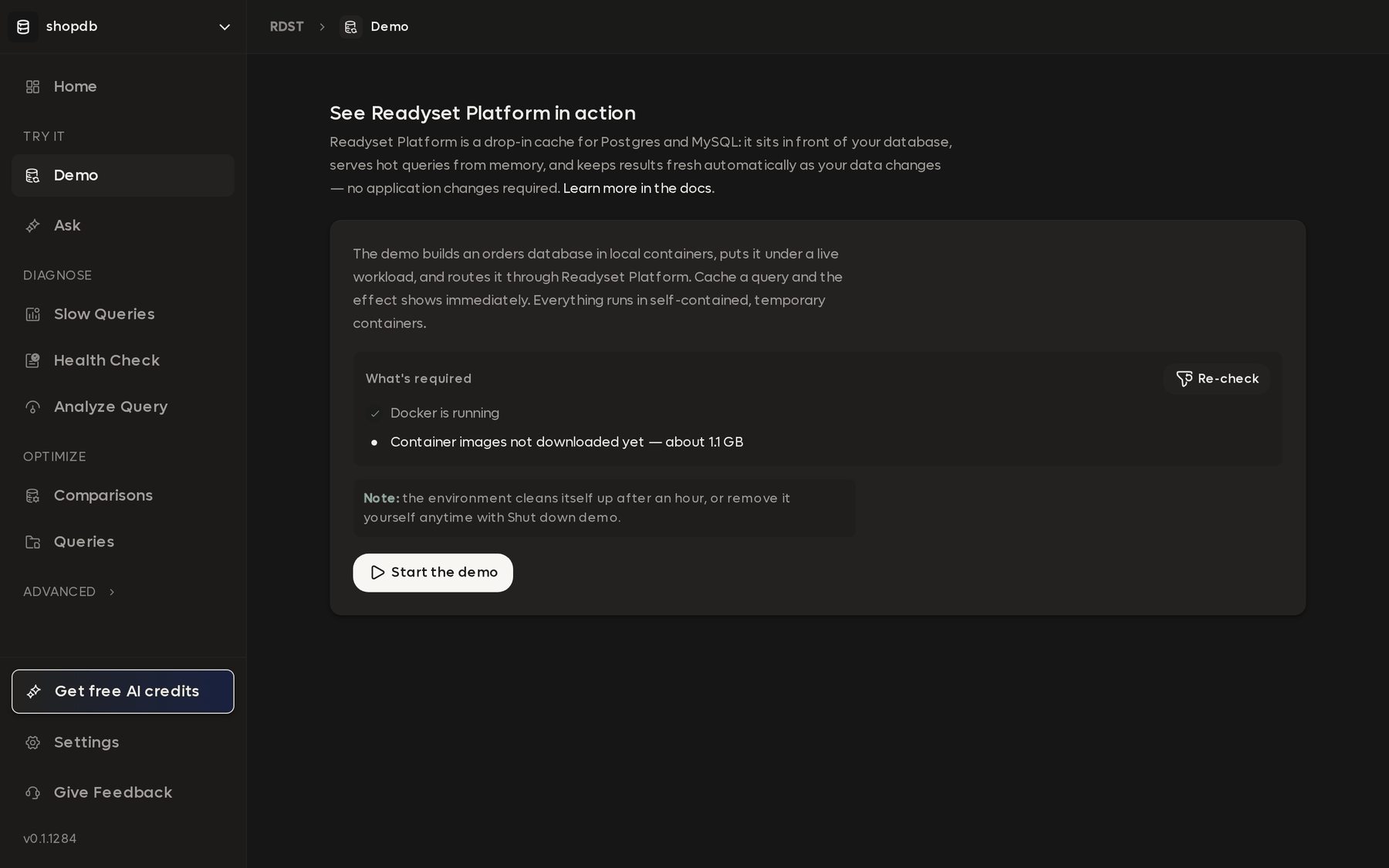
Docker is the only requirement. The first run downloads roughly 1.1 GB of container images, which is the slow part; afterwards starting the demo takes seconds.
The environment cleans itself up after an hour, and Shut down demo removes it immediately. Nothing it creates touches any database you have configured.
Running it
Start the demo. RDST pulls the images if it needs to, starts Postgres, loads an orders dataset, and brings up Readyset and QueryPilot in front of it.
Start traffic. A workload runs against the database through both paths, directly to Postgres and through QueryPilot, so the two can be compared under identical load.
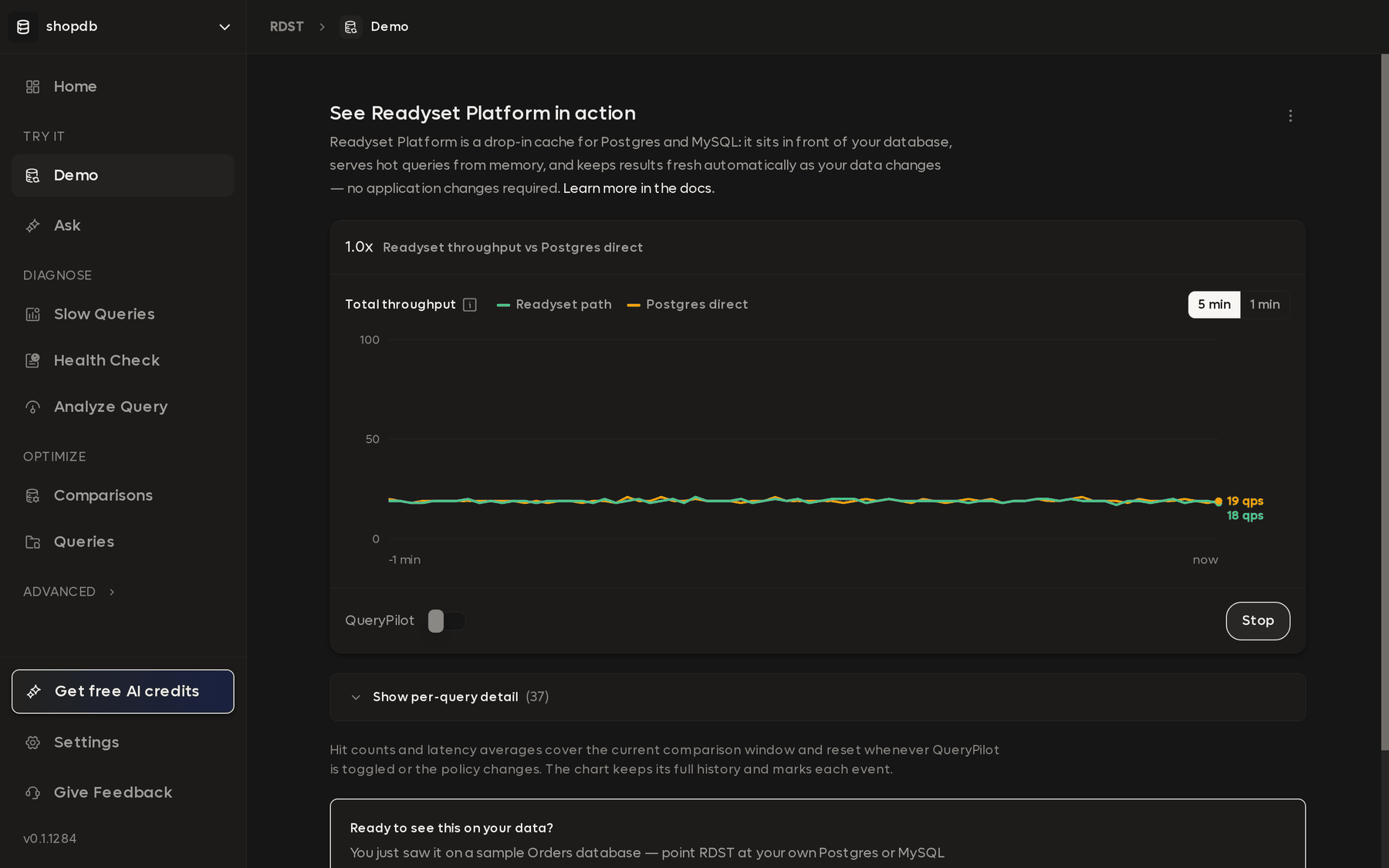
Turn QueryPilot on. The Accelerator picks queries to cache according to the policy you choose, creates the Readyset caches, and routes matching traffic to them. The chart marks the moment it takes effect.
Reading the chart
With traffic running and caching off, both paths carry the same load, because every query reaches Postgres either way. QueryPilot is proxying, not yet accelerating.
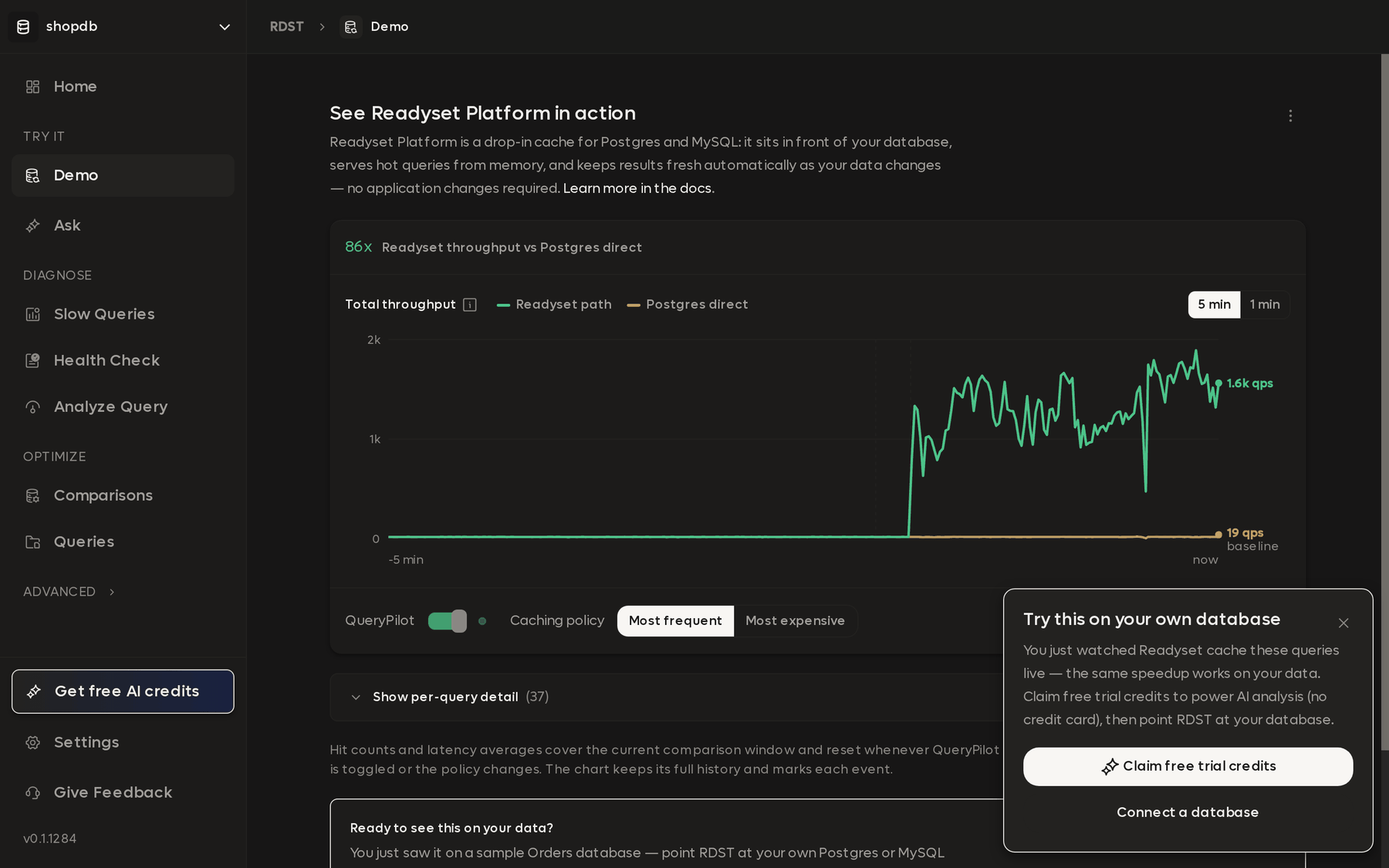
Switching QueryPilot on changes that. In the run above, throughput through the platform went from matching Postgres to roughly 1.6k queries per second against a 19 qps baseline, and the green line shows the moment the caches came online.
Caching policy decides which queries the Accelerator picks. Most frequent targets the queries that run most often, and Most expensive targets the ones consuming the most database time. Switching between them resets the comparison window and marks the chart, so the effect of each choice is visible separately.
Show per-query detail breaks the same numbers down by query, with hit counts and average latency for each path.
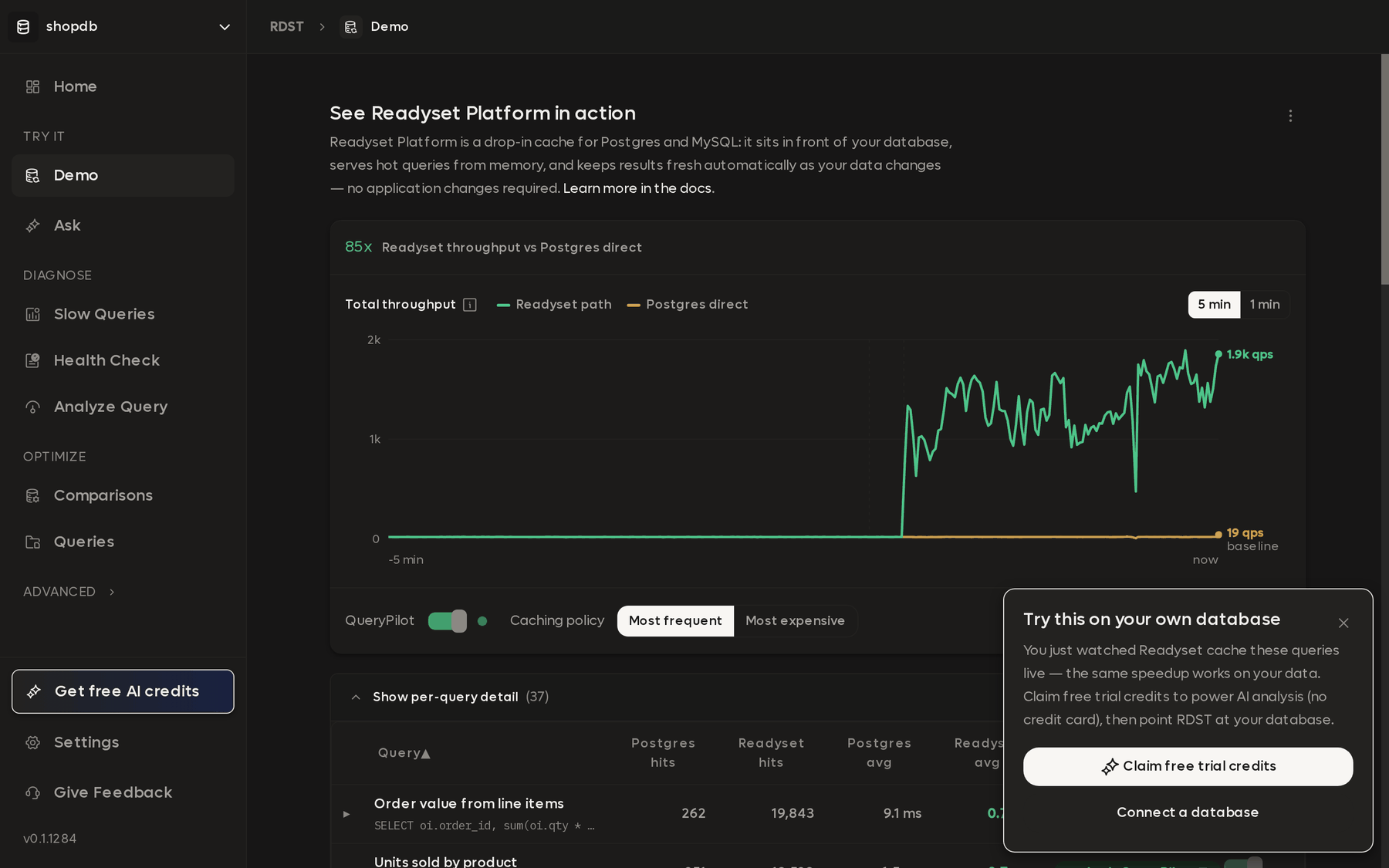
This is where you can see that the speedup concentrates in a few queries rather than spreading evenly across the workload, which is also true of most real applications.
Moving on to your own database
The demo runs against a sample dataset, so its numbers describe that workload rather than yours. Whether the platform helps your queries is a separate question, and RDST answers it directly:
- Connect your database
- Find the queries costing you the most
- Measure a Readyset cache against one of them
Comparisons applies the same idea to a real query of yours, and manages its containers the same way.
Get Started
Download the RDST desktop app for macOS, Windows, or Linux, or run the same interface in a browser on a machine where you cannot install software.
AI credits and API keys
Analyze, Ask, and the written parts of a health report call an LLM. You can access that with free trial credits from inside the app, or with your own Anthropic key.