Ask
Ask a question about your data in plain English and get the answer back. RDST writes the SQL, checks that it is safe and valid, runs it, and shows you the rows.
Ask takes a question in plain English and gives you the answer from your database.
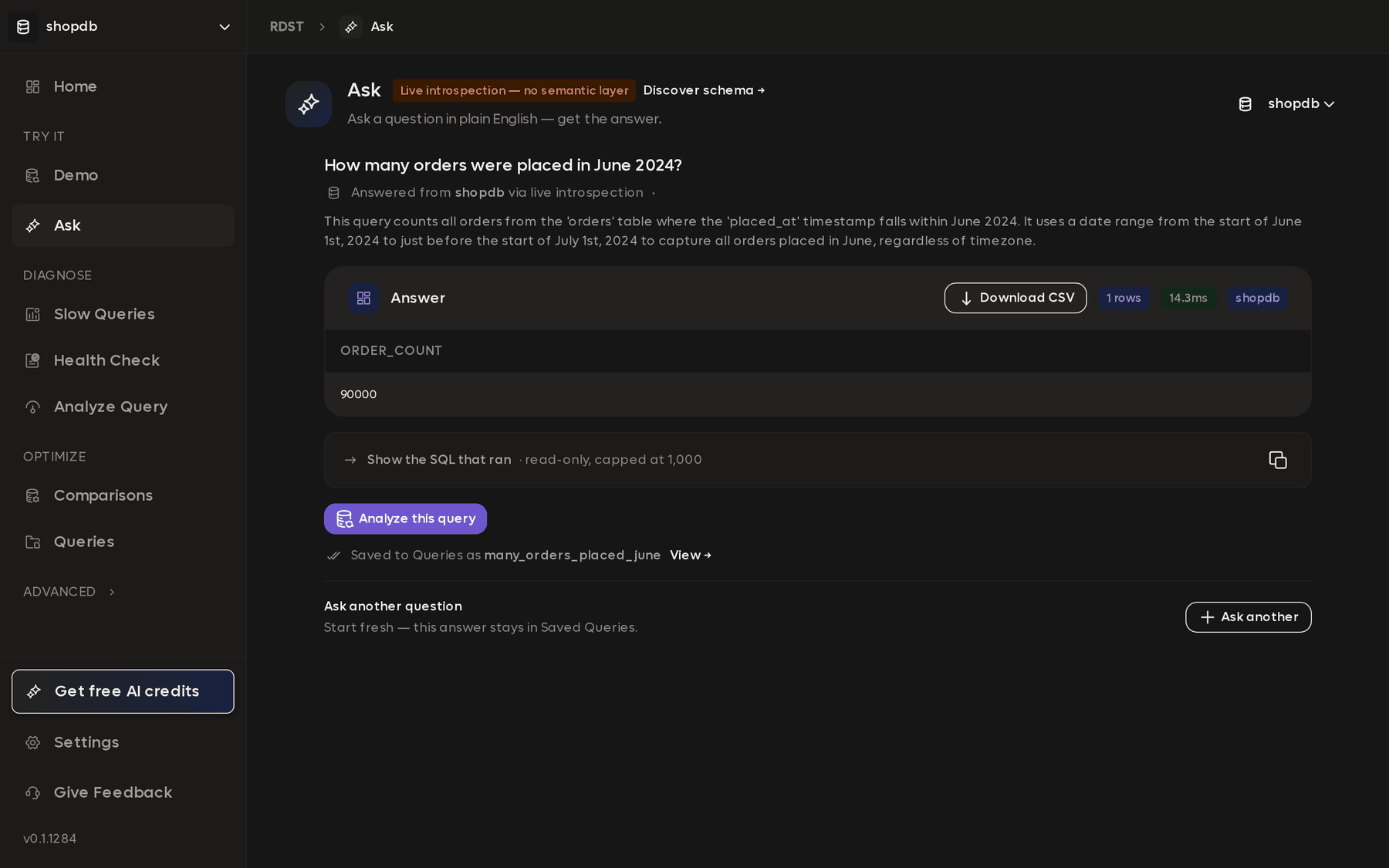
The SQL that ran is available underneath, and it is worth reading before you act on anything that matters. The reason to use Ask, though, is the answer rather than the query: a question you would otherwise spend twenty minutes writing SQL for comes back in the time it takes to type it.
Each answer is saved to Queries, so a question worth asking once can be re-run or analyzed later.
Answer quality depends on the semantic layer
Out of the box RDST knows your column names and their types, which is less than
it sounds. A column called post_type_id holding 1 and 2 means something
specific to your team, and nothing in the schema records what.
The semantic layer is where that gets written down: what tables are for, what enum values mean, and the terms your company uses in a particular way. RDST can generate most of it by profiling your tables, and you correct or extend the rest.
The header shows which mode you are in. Live introspection, no semantic layer means Ask is working from column names alone, and Discover schema next to it starts the job that fixes that. Filling it in is the single biggest improvement you can make to every answer you get afterwards.
Clarifying questions
Questions that seem unambiguous in English are often ambiguous against a real schema, and RDST asks rather than guessing when that happens.
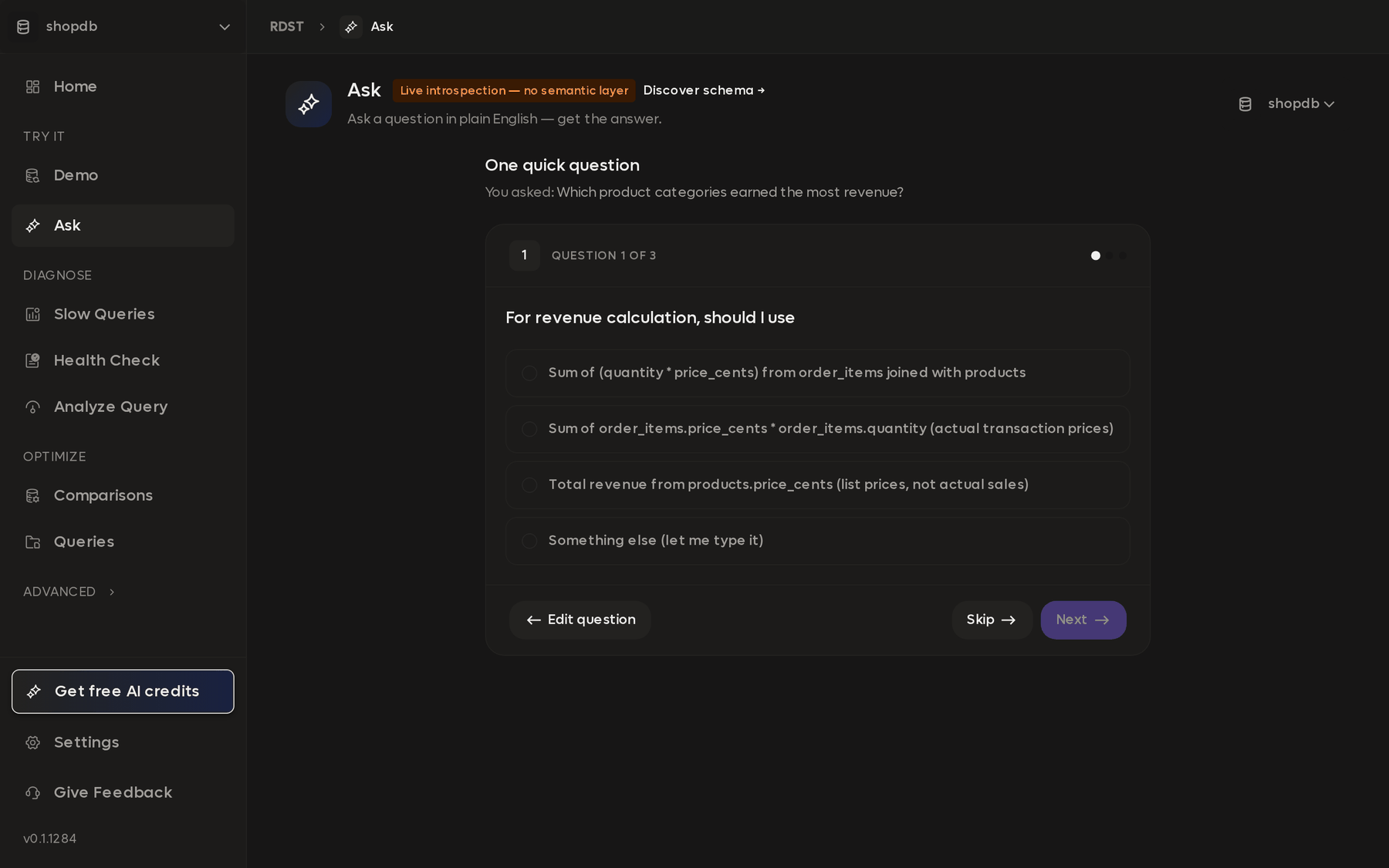
"Which product categories earned the most revenue" might mean the price actually charged on each order line, or the current list price on the product. The two give different answers and only you know which you meant, so RDST offers the interpretations it can see in your schema, along with Something else if none of them fit. Skip lets it choose for you.
Most of the accuracy comes from this step. A query built on the wrong reading of a question is worse than no query at all, because it returns a plausible number rather than an error. A well-populated semantic layer reduces how often these come up, and sharpens the ones that remain.
Safety checks
Ask only generates read-only SQL. Anything that would write is rejected, and every table and column referenced is checked against the real schema rather than trusted. A query that fails validation is shown to you with the reason instead of being executed.
Ask needs LLM access. See AI credits and API keys.
Before a query reaches production
Ask is built for answering questions rather than for writing the queries that go into your application. Anything headed for production is worth a pass through Analyze Query first, which will show you the plan and whether an index is missing.
Health Check
Produce a full report on a database: sizing, configuration, indexes, the queries costing you the most, and what to do about them. Run it against one database or several at once.
Schema
The semantic layer is what RDST knows about your database beyond column names and types. Filling it in improves every answer Ask gives you from then on.