Connect a database
Add a database to RDST by hand, import your whole fleet from AWS or a managed provider, or reach a private database through an SSH jump host.
A target is a database RDST can connect to. The rest of the app operates on whichever target is selected in the switcher at the top of the sidebar, so Slow Queries, Health Check, Analyze, and Ask all run against it.
Connections are managed in Settings.
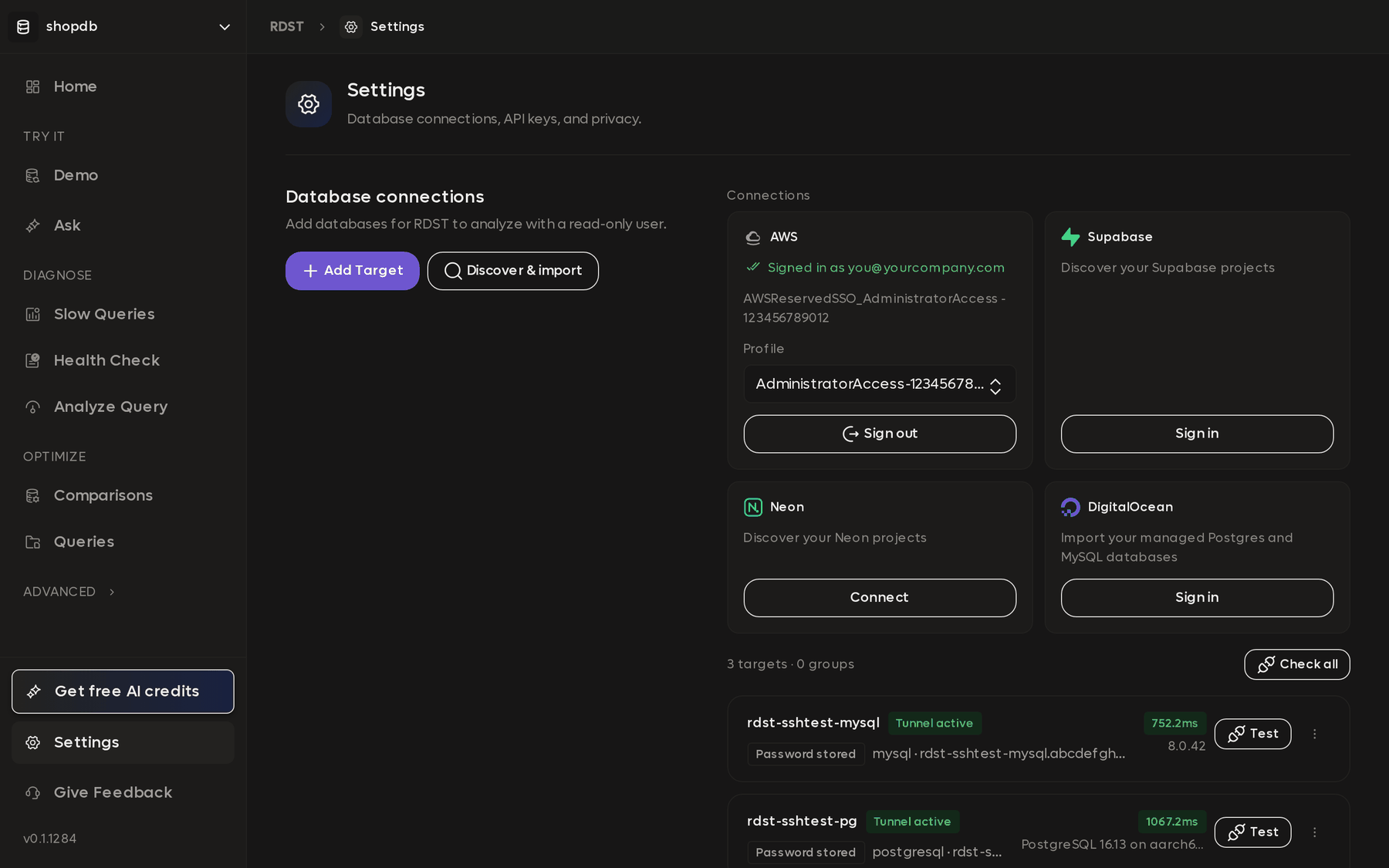
Ways to add a target
Import from your cloud account
Sign in to AWS and pick from the RDS and Aurora instances RDST finds. The fastest way to add more than one database.
Sign in to a managed provider
Supabase, Neon, and DigitalOcean. RDST reads your project list and fills in the connection details.
Add one by hand
Type the host and port, or paste a connection URL and let RDST parse it.
If the database is not reachable from your machine, any of the three can be combined with an SSH jump host.
Adding a target by hand
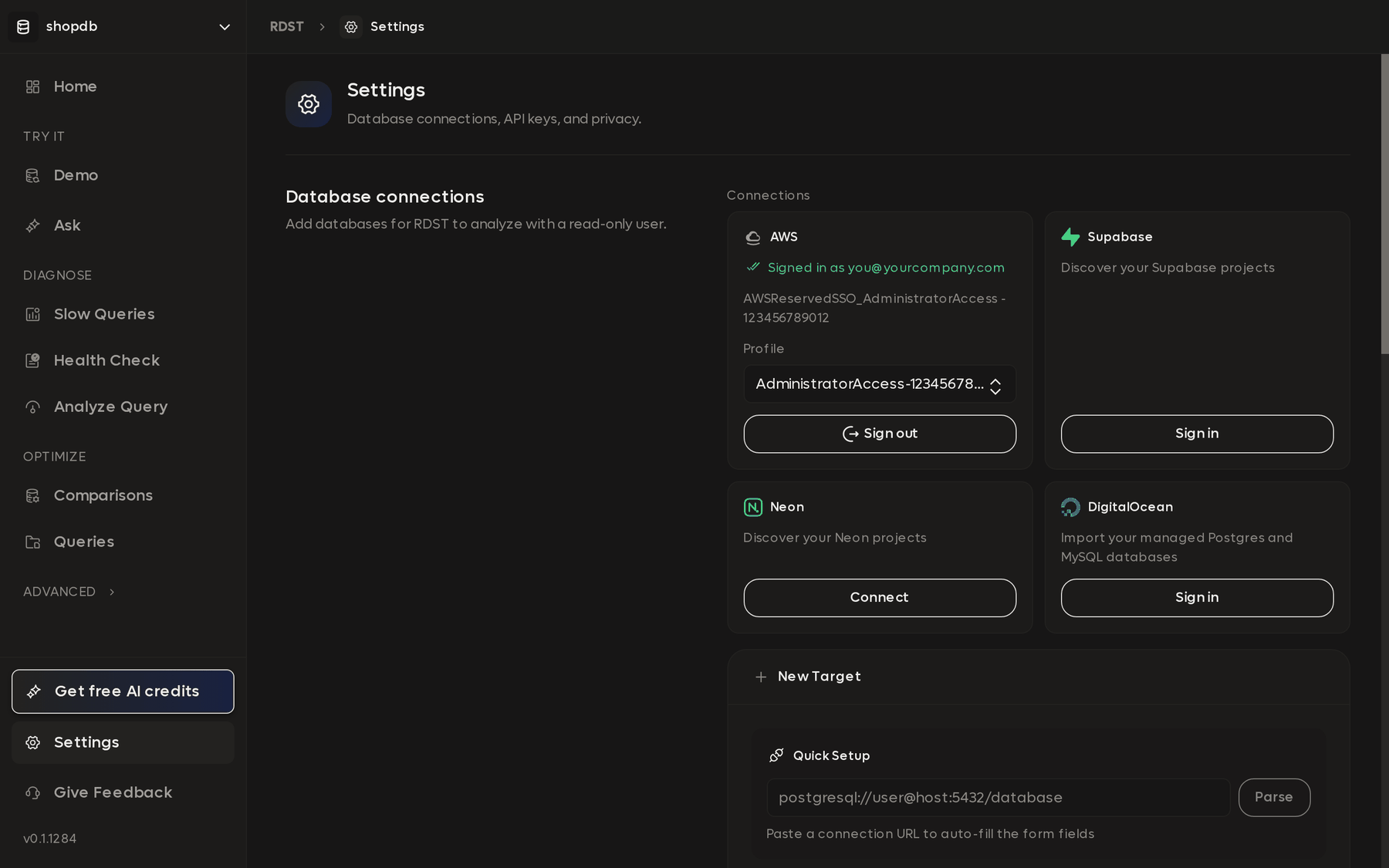
Click Add Target in Settings. The drawer asks for a name, then the connection itself.
| Field | Notes |
|---|---|
| Target Name | How you will refer to this database everywhere else in the app |
| Database Engine | PostgreSQL or MySQL |
| Host, Port, Database, User | Standard connection details |
| Database Password | Stored in your operating system keychain, never in the target configuration |
Quick Setup at the top of the drawer takes a connection URL and fills the fields in for you, which saves typing when you already have one:
postgresql://readonly@db.example.com:5432/myappTwo collapsed sections sit below the connection details:
- Connect via SSH jump host, for a database that is not directly reachable. See Private databases.
- Advanced, for TLS and certificate verification.
Test connection verifies the database is reachable and the credentials work before you commit. Add Target saves it.
The target list
Every target you have added appears below the provider cards, with what RDST knows about it: engine, host and port, the measured round-trip latency, and the server version it found. Test re-checks one target and Check all re-checks every one of them.
Badges tell you the connection state at a glance. Password stored means the credential is in your keychain and RDST can connect unattended. Tunnel active means the target is reached through an SSH jump host and the tunnel is currently up.
Read-only users
A read-only user is all RDST needs, and it is what we recommend. RDST issues
EXPLAIN, EXPLAIN ANALYZE, and reads from pg_stat_statements,
performance_schema, and pg_stat_activity or SHOW PROCESSLIST. It never
writes to your database.
The exact grants depend on the database engine and whether you want RDST to see activity from other database users. See Database permissions for a feature-by-feature matrix and copyable PostgreSQL and MySQL examples.
If you connect as a user that can write, RDST tells you so when it tests the connection rather than letting it pass quietly. How to create a read-only user next to that warning opens the exact SQL for your database and schema, ready to copy and run as an administrator.
It takes a minute, and it means a tool pointed at your production database physically cannot change anything.
Passwords are never written to ~/.rdst/config.toml. RDST stores them in your
operating system keychain, or reads them from an environment variable you name.
The config file holds the variable name, not the value, which makes it safe to
check into a dotfiles repository.
AI credits and API keys
Analyze, Ask, and the written parts of a health report call an LLM. You can access that with free trial credits from inside the app, or with your own Anthropic key.
Import from AWS
Sign in to AWS, pick the regions you care about, and add the RDS and Aurora instances RDST finds without typing a single hostname.