Settings
Database connections, API keys, and local storage. What RDST keeps on your machine, what it never keeps, and how to remove all of it.
Settings covers three areas.
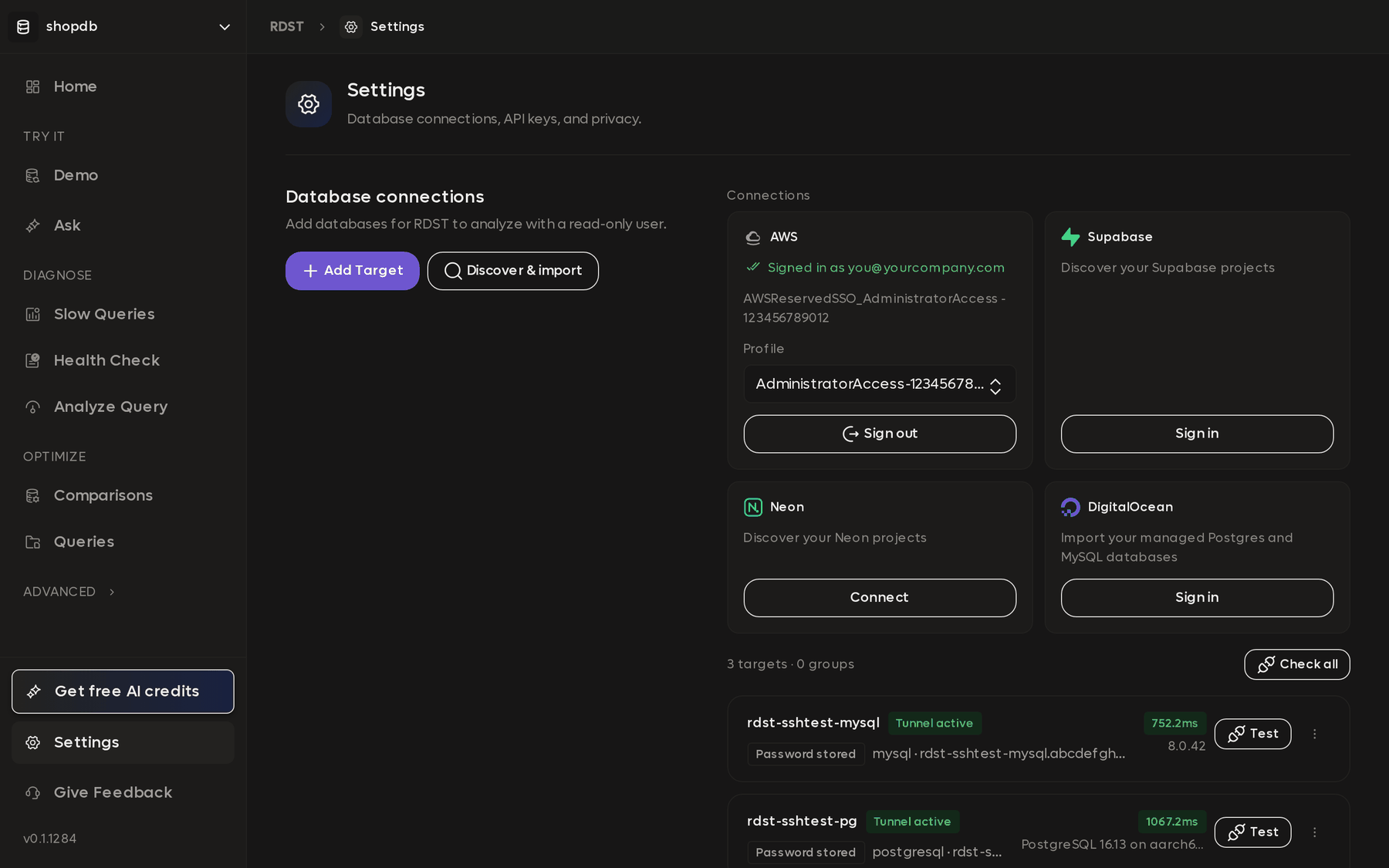
Database connections holds the provider cards, Add Target, Discover & import, and the list of everything you have connected. See Connect a database.
AI keys holds your Anthropic key or trial balance. See AI credits and API keys.
Storage and privacy is covered below.
Password handling
Database passwords are never written to ~/.rdst/config.toml. RDST stores them
in your operating system keyring, and the config file records at most the name of
an environment variable, never a value.
Local storage
~/.rdst holds your connection configuration, the query registry, the semantic
layer, and saved health reports. The CLI reads the same
directory, so a database you add here is available to rdst on the command line.
Remove all local data, at the bottom of Settings, deletes the directory and everything in it.
Privacy
Privacy and data handling covers what is stored, what is sent to an LLM and when, what is never sent, and how to turn off usage telemetry.
Privacy and data handling
What RDST stores on your machine, what it sends to an LLM and when, what it never sends, and how to turn off usage telemetry.
RDST CLI
A command-line toolkit for PostgreSQL and MySQL that diagnoses slow queries, recommends indexes and rewrites, answers natural-language questions about your data, audits database health across single targets or whole fleets, and deploys Readyset caches with head-to-head benchmarking.