Agent activity
Review analyses, attention checks, reports, and AI calls in the activity log.
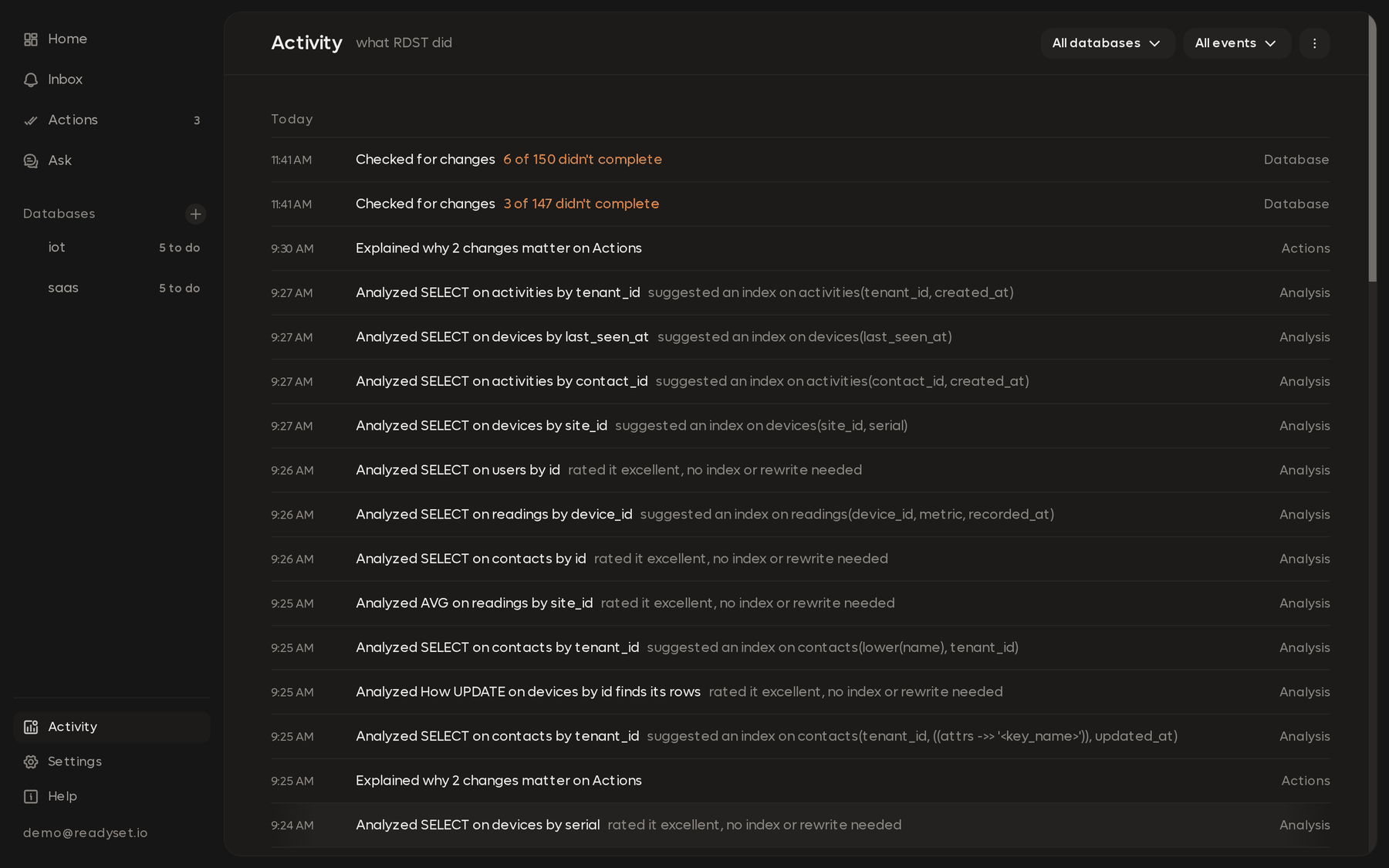
Agent activity in the sidebar is RDST's audit log. When RDST analyzes a query, answers a question or checks your database, it's written here as it happens, newest first.
Read-only diagnostics
The page lists these diagnostic rules:
| Rule | What it means |
|---|---|
| Only reads | Plans, statistics and SELECTs. Monitoring leaves data and schema changes to you |
| EXPLAIN ANALYZE is bounded | Read-only statements with execution timeouts. Open an entry to check its time limit |
| No result rows go to the AI | The AI sees SQL, plans, schema and sampled values. The log doesn't keep the values |
What's listed
| Action | What it's |
|---|---|
| Deep analysis | One query analyzed, with its key finding, like "suggested an index on events(event_type, created_at)" |
| Skipped deep analysis | A query RDST chose not to run, with the reason |
| Attention checks | The regular look for changes that need you |
| Query classification | The quick AI read of a new query |
| Daily report | The nightly report being written |
| Ask | A question you asked in Ask |
| Benchmark | A comparison against a Readyset cache |
Routine work, like a day of attention checks, folds into one line per database per day. Open it to see each hour, then each check.
Open any entry to see:
- Statements: each one RDST ran on your database, with literals shown as
?, what kind it was (EXPLAIN, EXPLAIN ANALYZE, a statistics read, a parameter sampling read, a hypothetical index check), how long it took and its time limit. - AI calls: the model, what it was for, what kind of data it was sent, and tokens.
The once-a-minute statistics read and the look at running sessions for parameter values aren't listed one by one.
Filter and export
Filter by Time, Database and Action. Export CSV downloads one row per entry for the days you pick.
The log keeps 90 days.
Costs for AI calls through your Readyset account are what Readyset charged. Costs for calls on your own Anthropic key are estimates from published prices.
Nightly report
Every night RDST writes up each monitored database's day, with its health, the day's numbers, what changed, and the queries worth a look.
Settings and monitoring limits
Change each database's monitoring settings, turn monitoring off and on, and check how many databases your account can monitor with AI.