MySQL
If you're using AWS RDS MySQL, you'll need to make a few configuration changes via the AWS console to enable Readyset Cache to properly replicate tables.
Before each step listed below, you'll need to:
- Log in to your AWS account.
- Click on RDS, which can be found by searching for it in the search bar, under the Services menu, or in your Recently Visited area.
Instructions
1. Establish a network connection
To make sure Readyset Cache can connect with your database, it's easiest if you install Readyset Cache in the same VPC as your database. If Readyset Cache is located in another VPC, you can set up VPC peering; otherwise, the database will have to be publicly accessible.
- Within RDS under the Resources section, select DB instances.
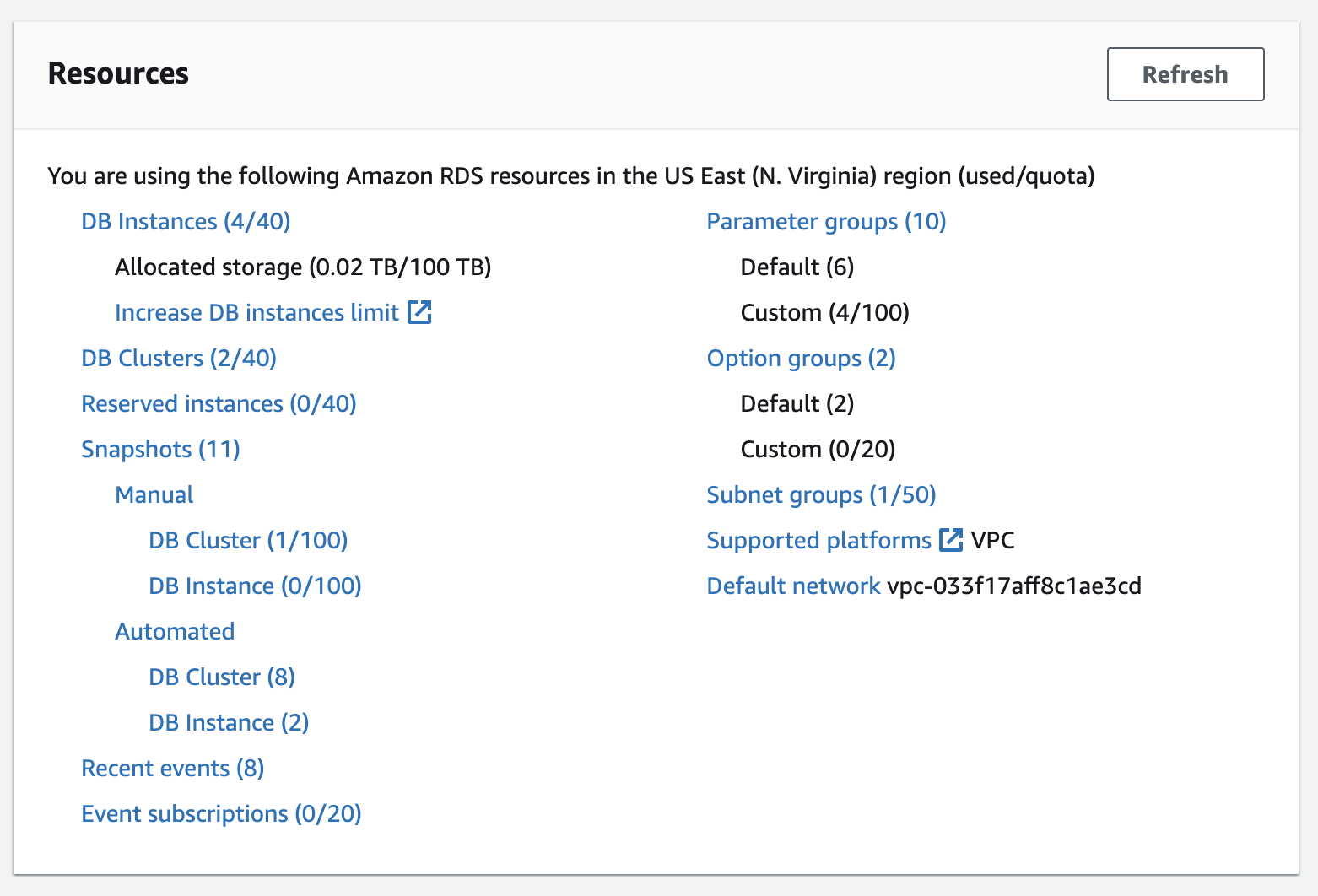
- Choose the instance you want to make publicly accessible.
- Click the Modify button in the upper right corner.
- In the Connectivity section, click on Additional configurations.
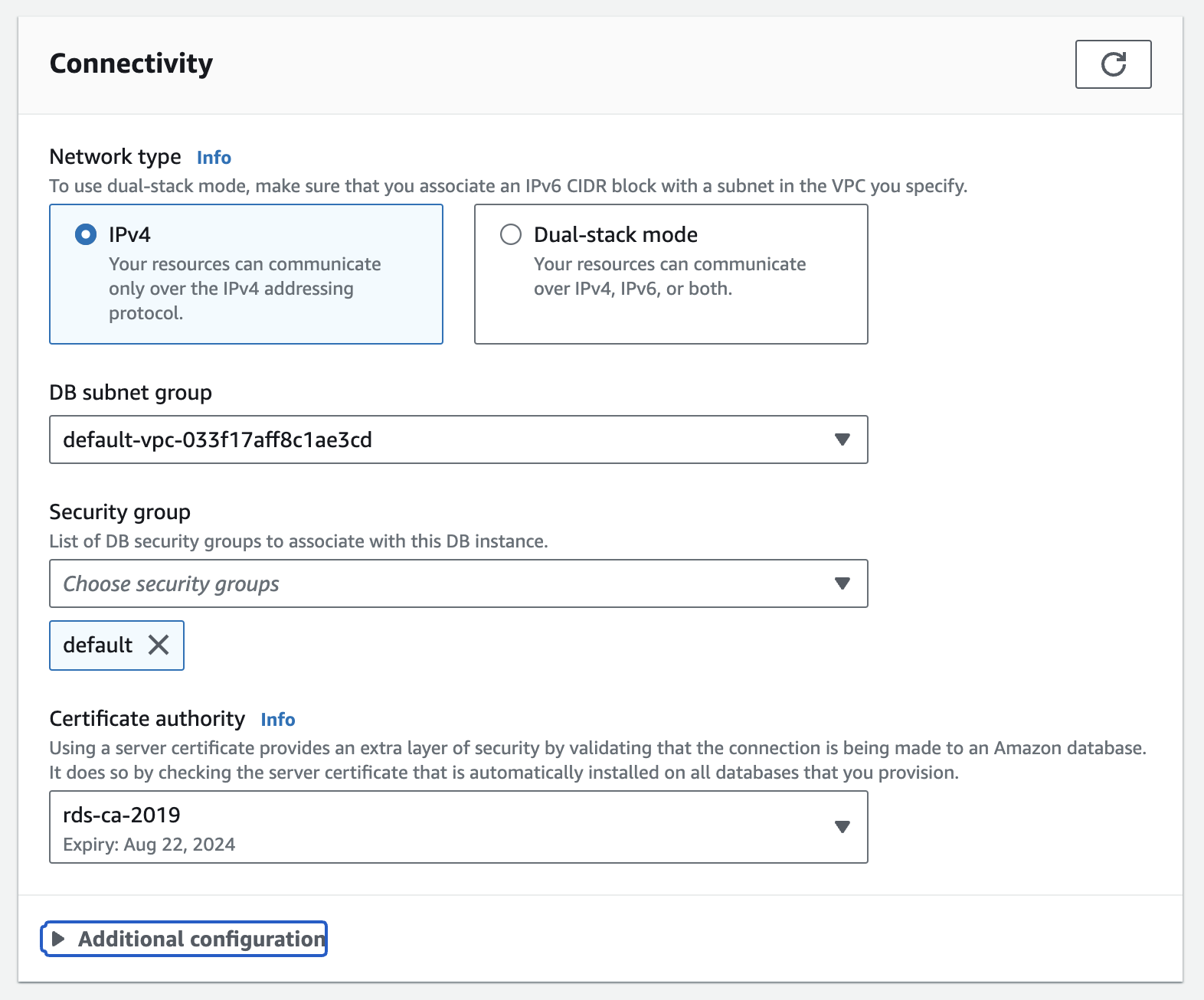
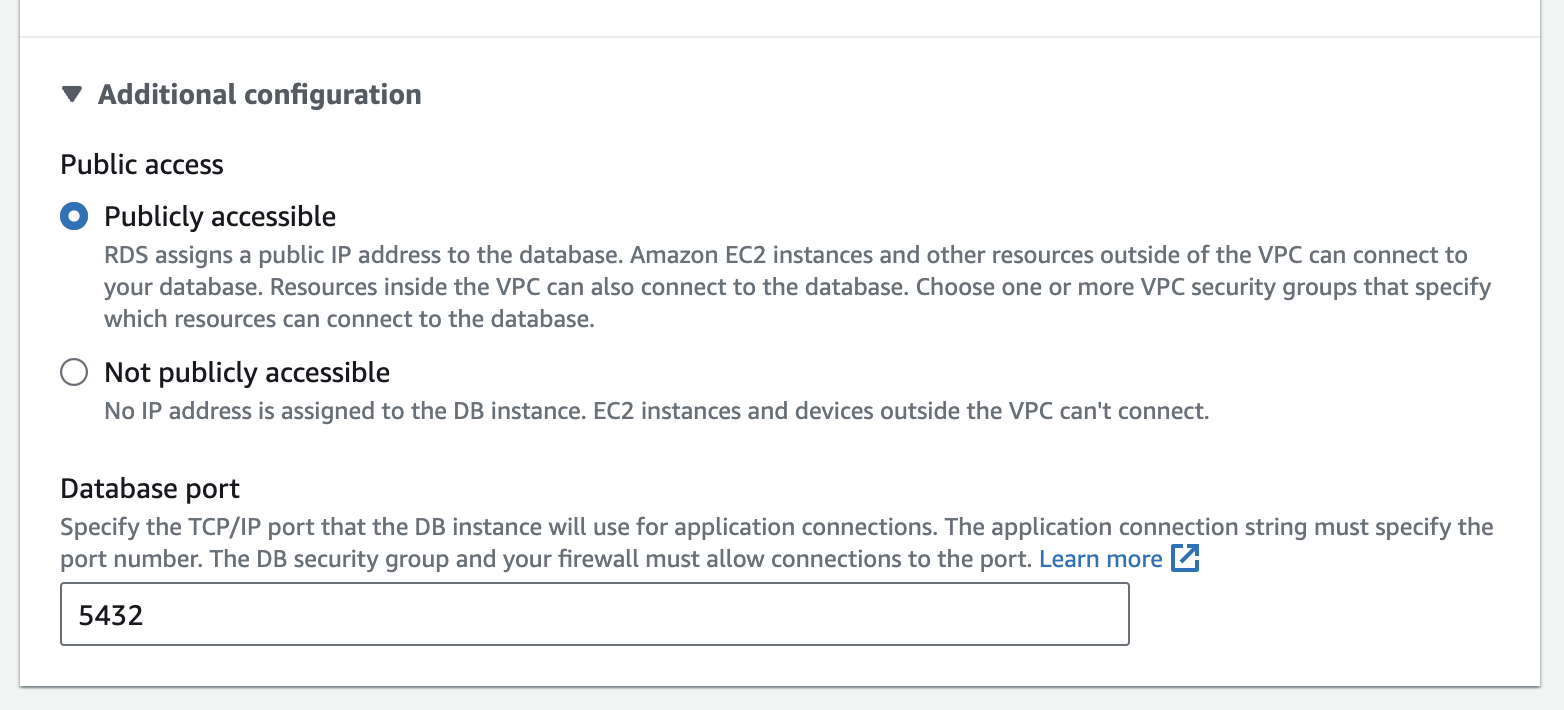
- Under Public access, choose Publicly accessible.
- Click on Continue at the bottom of the page.
- Select when you want to apply the change and click Modify DB instance.
2. Enable binary logging
Readyset Cache replicates changes from the MySQL binary log, so binlog must be enabled and configured with row-based logging.
- RDS enables the binary log only when automated backups are turned on. Under your instance's Modify page, set the backup retention period to a value greater than 0 days.
- Under the Resources section, select Parameter groups. Modify an existing group or create a new one, then associate it with your instance.
- Set
binlog_formattoROWandbinlog_row_imagetoFULL. - Apply the changes and reboot the instance if required for the parameters to take effect.
For the full list of binlog variables Readyset Cache expects, see General MySQL configuration.
3. Set binlog retention
Ensure the binary logs are retained long enough for Readyset Cache to complete its initial snapshot. Connect to your instance and run:
call mysql.rds_set_configuration('binlog retention hours', 24);A reasonable value here is one hour of retention for every 150 GB of database size.
4. Grant privileges to the Readyset Cache user
Grant the Readyset Cache user the privileges it needs to snapshot and replicate. See General MySQL configuration for the full list and an example GRANT statement.